
Android · 20 languages · on Google Play
The English you meet at work, kept
You already read a foreign language all day — the standup thread, a notification, a page in a notebook, the label on something in front of you. VocNova reads it with you and turns what matters into cards worth studying.

- 20In either direction. You pick the one you think in and the one you are learning.
- 12Choosing a meaning, finding the word for one, spelling, listening, typing, putting it back in its sentence.
- 0No analytics, no advertising and no third-party scripts, on this site or in the app.
Three ways a word gets in
From the messages you already read
Connect a chat account, or let VocNova read notifications from the apps you tick. It finds the words worth learning and writes the card — meaning, example sentence, pronunciation.
From a photograph, or your own hand
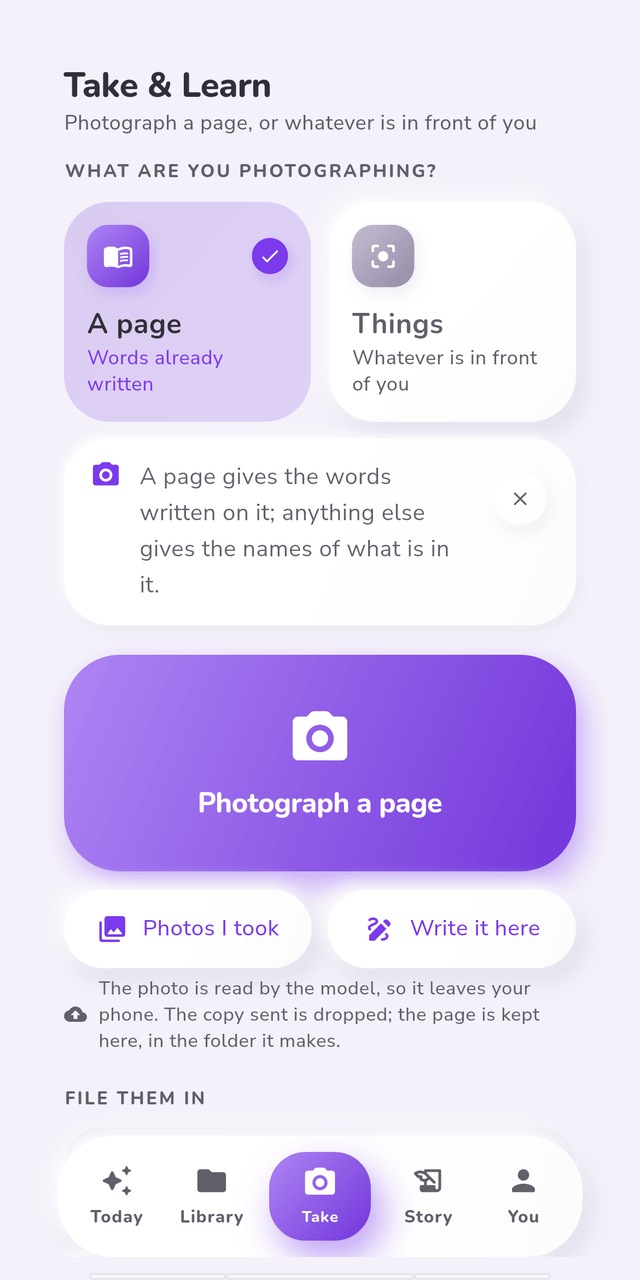
Point the camera at a page and every line becomes a card. Point it at your desk or a street and it names what is in the picture. Or write the page yourself, with a pen, on the screen.
From somebody who sends you one
A colleague ticks what goes and hands you a list by link or by handle. It waits until you accept it, because a list that added itself would be somebody else writing into your collection.
Photograph a page 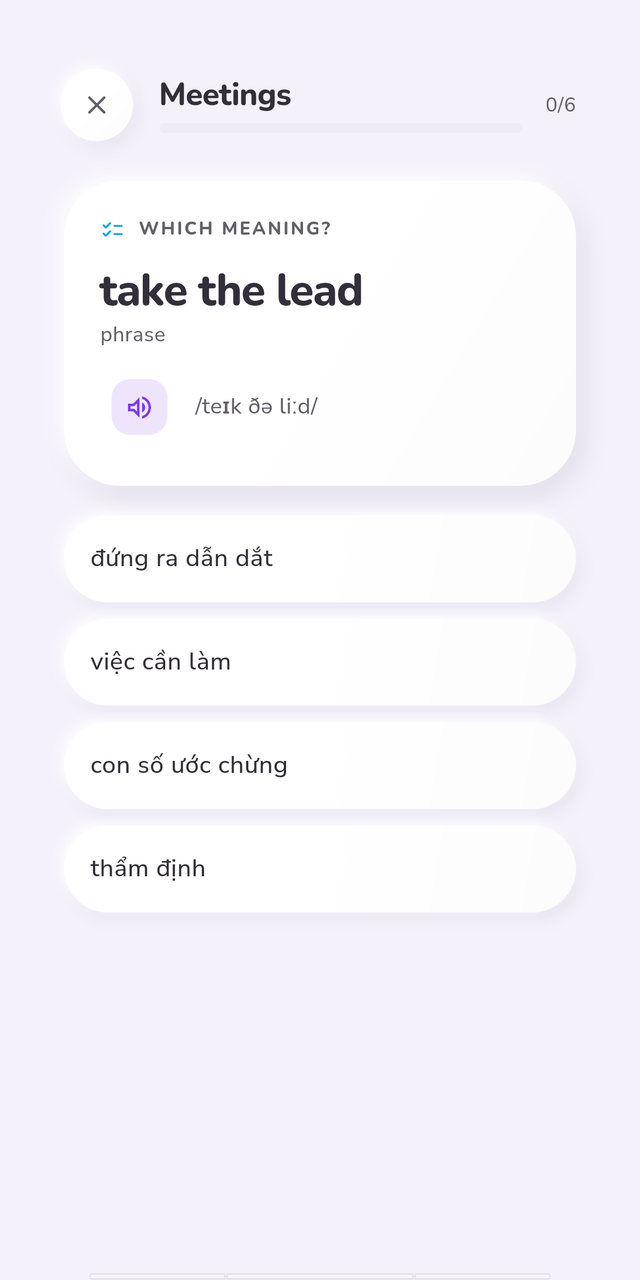
Asked before you forget 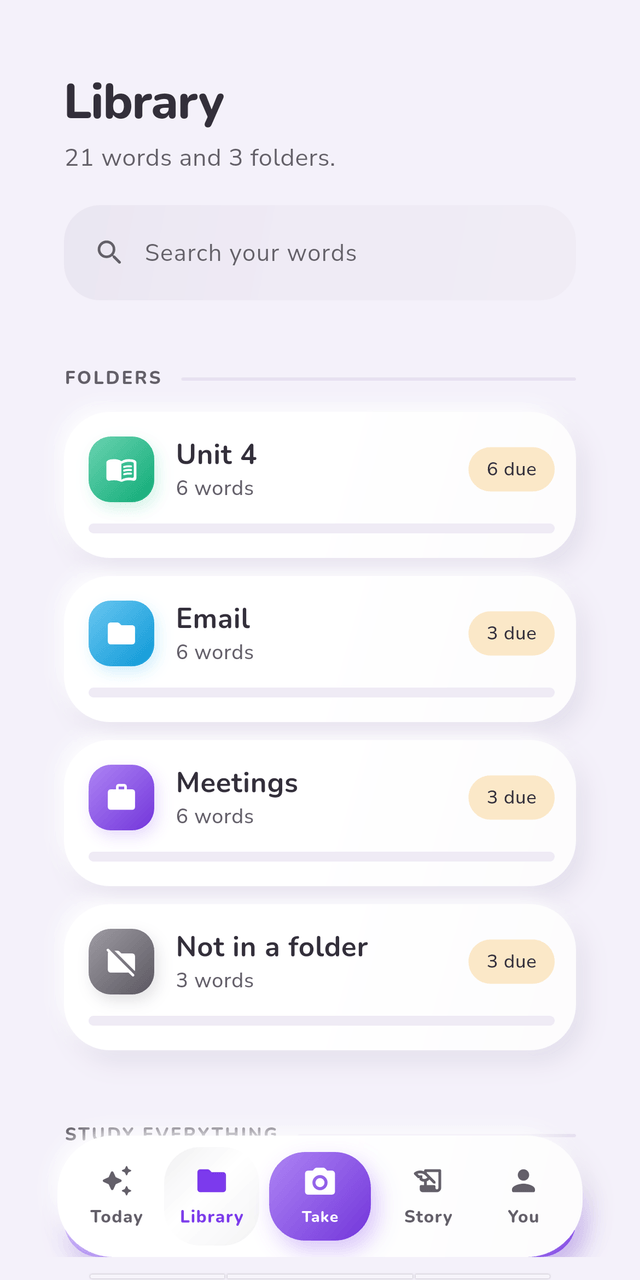
Filed where you will find it


What it actually does
Reads your working day
Google Chat today, more to come, plus notifications from the apps you choose. Notifications are sifted on your phone first, so only the ones written in the language you are studying are sent at all.
Take & Learn
Photograph a page and get its list — named after what is on it, and the page itself kept in the folder so you can read back a word the reading missed. Photograph a room and get its nouns, marked on the picture so you can see which chair it means before you keep it.
Or write the page by hand
The same page taking a different route. A pen on the screen arrives cleaner than a camera — black ink, white ground, no shadow across the gutter — and a keyboard that autocorrects a language you do not know yet is no help at a counter.
Cards that arrive finished
A meaning in your own language, a definition in the one you are studying, a sentence that uses the word, and the sounds it makes.
Review that respects your time
Scheduling built on FSRS. Twenty due words on a Tuesday rather than four hundred on a Sunday, and a dozen ways to be asked, so a word is learned rather than recognised.
Questions that arrive in the shade
A word you have already learnt can turn up as a notification and be answered to close it. You say how often and between which hours, and nothing arrives outside them.
Listening, in the order that teaches it
A passage, and twelve exercises across five stages: hear it blind, take it apart, echo it back, produce it, review it. One control starts the next sitting, because the order is the teaching. Recordings of you reading aloud never leave the phone.
A diary, with a lock on the pages that need one
Write about your day in either language. Ordinary entries open with no PIN, like anything else in your account. Lock the ones you would not want read over your shoulder and they are sealed with a key made from a PIN that never leaves your phone — those we cannot open.
Folders that hold a word twice
A word belongs to every topic it belongs to. File it under Meetings and Unit 4, study either, lose neither.
People, without a leaderboard
Reach somebody by a handle they gave you, share a folder and see a real card from it as you tick what goes. A group is joined by invitation, has no directory and no chat, and its feed is learning events that end. A challenge is an agreement about a number and a window. Nothing here ranks anybody.
Twenty languages, both ways
Pick the language you think in and the one you are learning. Everything — every meaning, every example, every question — is written between those two.
Your messages stay yours
This app reads private conversations, so the answer to "where does that go" has to be short and checkable.
Notification text is never written to our database. It passes through to be read for words and is discarded.
Messages are held for about a week, and only until your devices have a copy. After that your phone holds the only one.
Diary entries you lock are sealed on your phone with a key made from your PIN. We never receive the PIN, so we cannot read those — and there is no recovery if you forget it. Ordinary entries are protected like your messages, with a key we hold.
Recordings of you reading aloud are played back on the phone and never sent. The one exception is speech-to-text, which starts off: it names the company that would receive the recording before anything goes, and the audio is read and dropped rather than stored.
A card can keep the one sentence its word was met in, as its example — that is your vocabulary, and it stays until you delete the card.
The copy on your phone is encrypted, and backups are turned off.
Verification codes, passwords and account numbers are thrown away on the phone, before anything is sent.
No advertising, no tracking, no analytics on what you tap.
Read the whole policy
Questions people ask first
Is VocNova free?
It is free today. Pricing is not decided yet, and when it is, this page will say so before anybody is charged. You can also bring your own model key, which means the reading of your words is billed to your own account rather than ours.
What is the diary, and can you read it?
It is a place to write about your day in whichever language you are thinking in — the words you reach for describing your own life are the ones you actually need. There are two kinds of entry. An ordinary one opens with no PIN on any device you are signed in on, and is protected exactly the way your messages are: encrypted on the phone and in transit, with a key we hold, so we could read it. An entry you lock is sealed with a key derived from a six-digit PIN that never leaves your phone, and no, we cannot read those. The price of that is real: forget the PIN and the locked entries are gone, for you and for us. The one exception either way is an entry you switch on for study — that one is sent to be read for vocabulary, after your phone strips the identifying parts out and shows you exactly what is about to go.
Does it read all my notifications?
Only the apps you tick, one by one, and only after you grant Android's permission yourself. Anything that looks like a verification code, a password or an account number is discarded on the phone and never leaves it.
Does it record me?
Only in the listening exercises that ask you to read a passage aloud, and only while you are doing one. The recording is played back beside the original so you can hear where your stresses landed, and it is neither marked nor scored. It stays on the phone unless you switch on speech-to-text, which starts off and names the company that would receive it before anything is sent. Even then the audio is read and dropped, never stored.
Which languages does it work in?
Twenty, in either direction: English, Vietnamese, Japanese, Korean, Simplified Chinese, Traditional Chinese, French, German, Spanish, Brazilian Portuguese, Italian, Russian, Thai, Indonesian, Malay, Hindi, Arabic, Dutch, Polish and Turkish. You choose the language you think in and the one you are studying.
Do I need to be online?
No. Your words are kept on the phone as well as on our server, so the collection opens and a review answers with no connection at all — anything answered offline is sent the next time there is a signal, and the app says where you stand rather than pretending. What does need one is anything new arriving: reading your messages, or a photographed page.
Can I study with other people?
You can hand somebody a folder, join a group by invitation, and agree a challenge — a number of words inside a window, as a pair or together. There is no directory, no feed of posts, no comments and no leaderboard anywhere in this product. You reach a person because you already know them, by a handle they gave you or an exact address on an account that left itself findable.
What happens to my pictures if I get a new phone?
That is up to you. A picture on a card lives on the phone that took it, and a new phone brings your words and not your pictures — unless you turn on cloud pictures in Settings, which keeps a copy with your account so the new phone gets them back. It starts off, nothing already on your phone is sent by an update, and turning it off later asks separately whether to remove the copies. A diary photograph follows its entry: one you keep on the phone stays there, and one on an entry you keep in the cloud goes up already sealed with that entry's own key.
Is there an iPhone version?
Not yet. Android first, because that is where the notification reading is possible at all. There is a browser version at app.vocnova.com — it signs in and studies your collection on any phone or computer, without the notification reading or the diary.
Is it finished?
It is on Google Play and anybody can install it, which is not the same thing. It is still early: screens change between releases, and the version you install today is not the one you will have in three months. What is there works, and what is not there yet is not pretended at.